
In 2017, I re-organized the HuffPost app’s navigation from a single menu button to a tab bar. Changing the way people accessed content proved successful. iOS App Store reviews increased from 2.5 to 4.6 stars. In comparison, here is what the old app looked like before I joined.
App Map and Wireframes
When testing the new design, I learned that sprinkling news topics throughout the app helped people navigate more naturally between articles. I made sure to include various entry points to different news topics throughout the main feed and in article pages.
I created an outline to show the many different topics covered by HuffPost. The next step was to find out which ones people visited the most and streamline the menu.

Using arrows as a design affordance to show that you can swipe between pages.

A horizontal swiping topic menu below the header is standard in many news apps. I explored how the HuffPost tab bar might change with this navigational menu across the top of the main News screen.
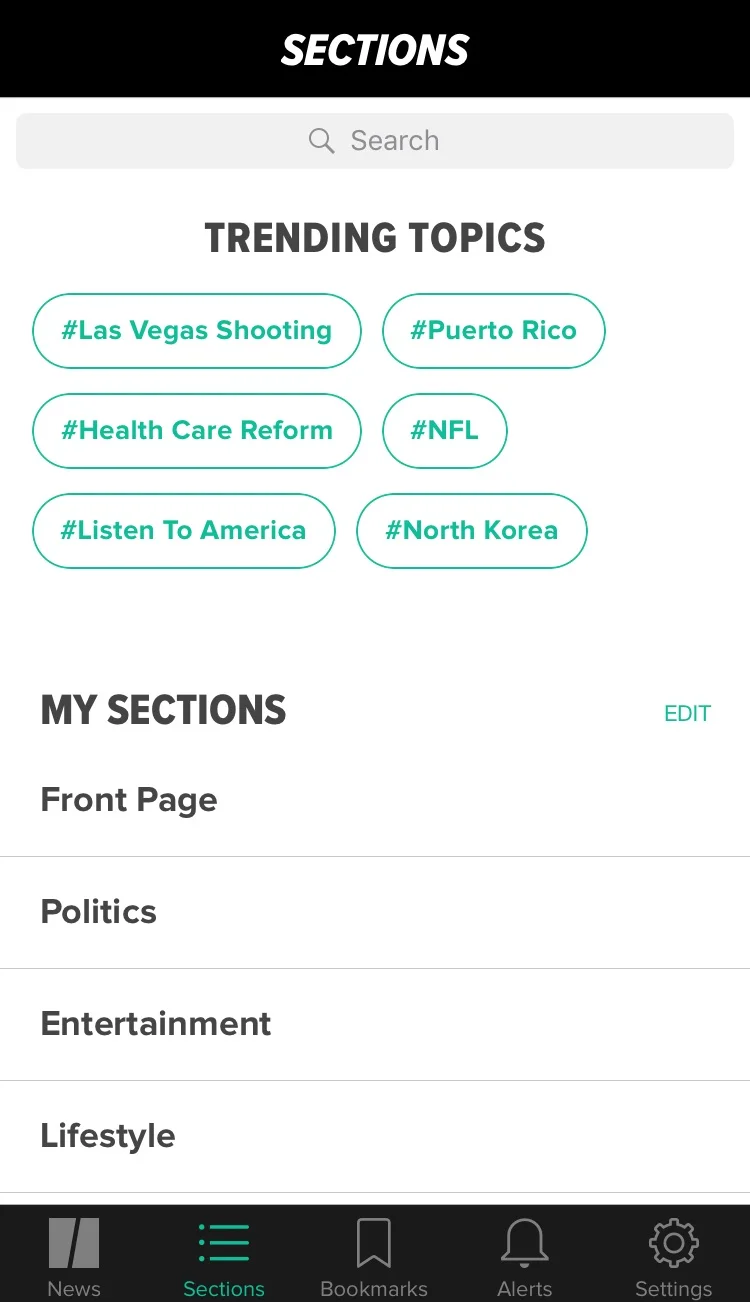
I showed how other tabs would look if we incorporated a horizontally scrolling section on the News tab.
Creating micro-Animations
To make the HuffPost app more delightful to use, I explored different gestures for people to intuitively navigate between pages. Research showed that most users moved from a news feed to an article screen and back. Making that transition feel fast was key to improving the quality of the app.
An early sketch of a news story in a feed opening up into a full article on a mobile screen. The user can then swipe between news stories without having to go back to the feed.
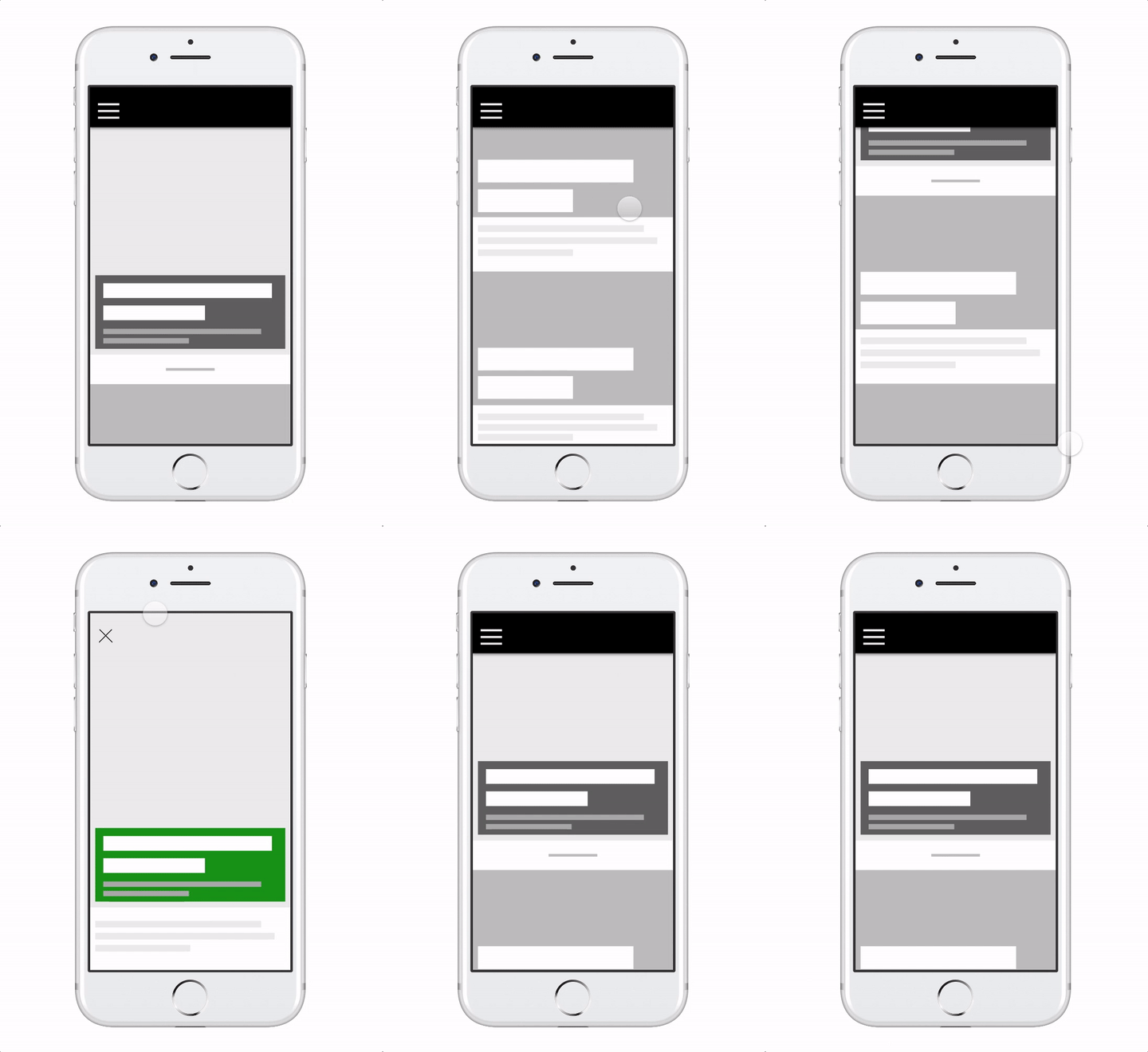
This is a prototype I made of the sketch on the left. Tapping on a story from the news feed expands it into an article screen.
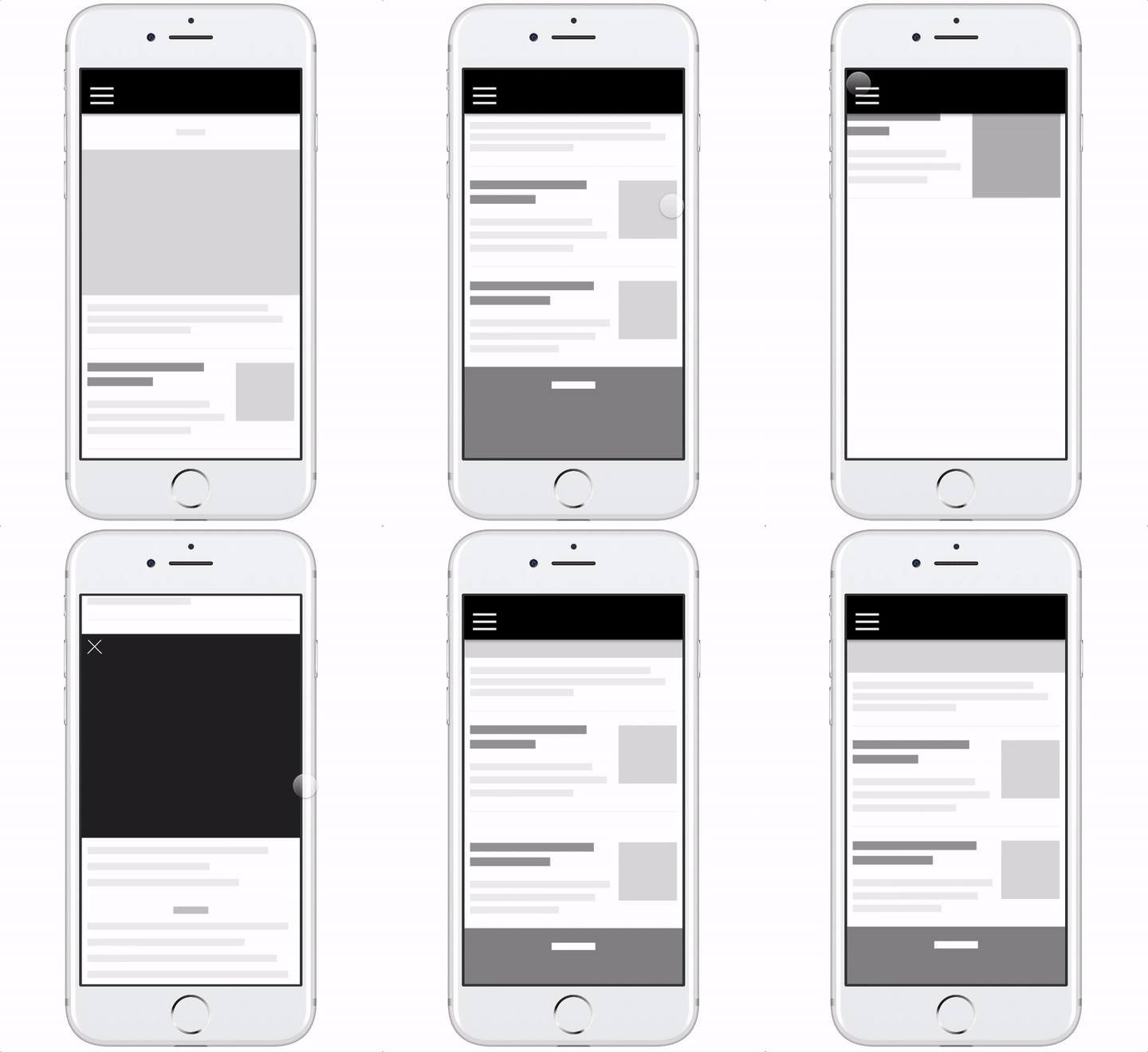
Another story card layout that expands into a full article view. My exploration had to account for each of the layouts that exist on the News feed.

A visually designed prototype showing the animation we wanted to build.